Speaker-labelled transcripts
Every voice identified and labelled — Chair, CEO, CFO — so the record always shows who said what, turn by turn.
Record meetings, capture every speaker and decision, and turn conversations into formal minutes — in your company's format.
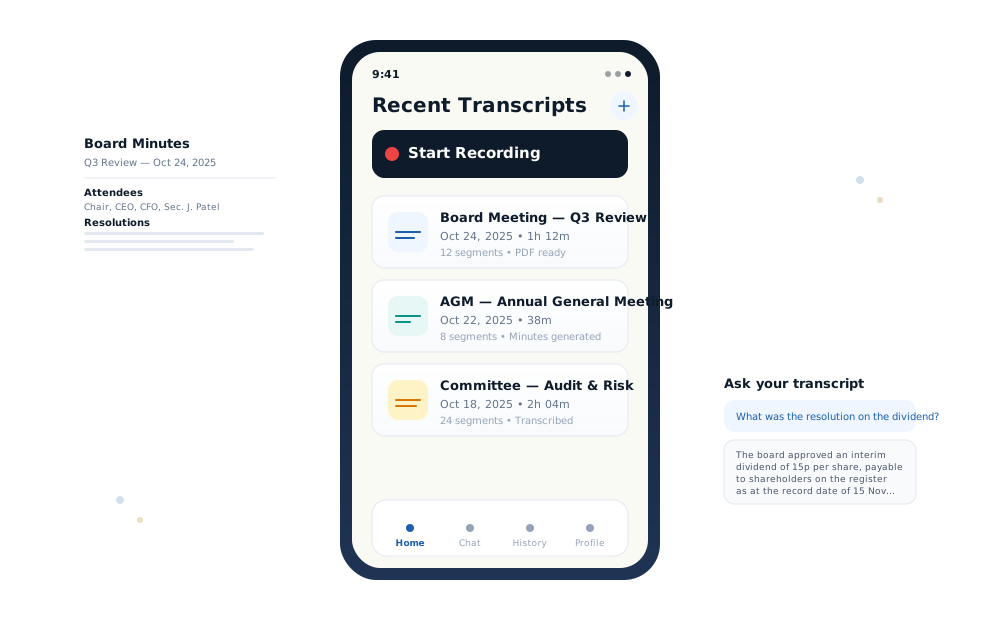
However the meeting happens — around the table or on a call — CosecScribe captures it. Meeting capture is free on every plan, so you can start with the transcript and generate minutes when you're ready.
Open CosecScribe on your phone or laptop, place it on the table, and tap record. Every voice is transcribed live — and the audio saves to your device only, never our servers.
Paste a Zoom, Microsoft Teams, or Google Meet link and the CosecScribe Notetaker joins — only the meetings you choose, never uninvited.
Upload a recording on the Android app and get the transcript, summary, and minutes back. The web app handles deeper review, editing, and your minutes templates.
CosecScribe prepares the first draft. You remain in control of the final record.
Capture your in-person meeting from your phone, or connect your online meeting on Zoom, Teams, or Google Meet.
Get an accurate, speaker-labelled transcript of the conversation — who said what, turn by turn.
CosecScribe identifies the discussions that mattered: decisions taken, action items agreed, and points still open.
Turn the meeting into structured formal minutes — in your organisation's own template.
Review and edit the AI-generated draft before it becomes your official record. You stay in control.
Export your finished minutes to DOCX or PDF, formatted for the record.
Every organisation prepares minutes its own way. Upload your existing minutes template — Word, PDF, or text — and CosecScribe uses it as the foundation for your next set of minutes.
You don't have to change your workflow to use CosecScribe. CosecScribe adapts to yours.
CosecScribe doesn't stop at transcription — it turns the meeting into the formal corporate record.
Every voice identified and labelled — Chair, CEO, CFO — so the record always shows who said what, turn by turn.
Each meeting is distilled into a summary, the decisions taken, and the action items agreed — tied back to the transcript.
Upload your existing minutes template — Word, PDF, or text — and generate minutes in your organisation’s structure.
CosecScribe prepares the first draft. You review, edit, and approve — the official record stays in your hands.
Every meeting is searchable. Ask a transcript anything — "What was the resolution on the dividend?" — and get cited answers.
Export finished minutes and transcripts to Word and PDF, professionally formatted for circulation and filing.
CosecScribe handles the administrative weight of the minutes process — while professional judgment stays with you.
CosecScribe prepares the first draft. You review, edit, and approve the official record.
Every draft follows the sections company secretaries expect:
Built with Nigerian meetings in mind — Nigerian English, Pidgin, and local names handled properly.
Board packs, strategy, resolutions — corporate meetings carry sensitive information. Here is exactly how CosecScribe handles yours.
When you record in the room, the audio saves to your device only. It never touches our servers.
Uploaded audio is permanently deleted the moment transcription completes — from our servers and from our transcription provider’s.
We do not train on your meetings, and our AI providers discard your data after processing. Your conversations are not product material.
Data is encrypted in transit (TLS) and at rest (AES-256), stored in the EU, and scoped to your account — no one else can see your meetings.
Meeting summaries and action items are emailed only to the person who recorded — never to attendees, never to colleagues.
Delete any transcript or minutes document at any time — or switch on auto-delete and they’re removed after 30 days.
The notetaker joins only the meetings you send it to — it never scans your calendar and never appears uninvited.
Read the full privacy policy →Wherever corporate governance demands an accurate account, CosecScribe is there.
Capture every resolution and action item as it happens. Generate minutes that follow your house style — attendance, apologies, discussions, and decisions, all structured.
Long meetings, many speakers. Speaker labels keep track of who said what, so your minutes of the proceedings are accurate and complete.
Management committees, governance reviews, and statutory meetings — documented consistently, with decisions and actions captured for the record.
Meeting capture — in person and online — is free on every plan. New accounts get a 7-day trial with unlimited minutes generation, transcription, and AI chat.
7-day free trial with unlimited minutes generation.
For the busy week of board meetings.
For the company secretary who runs the board.
Everything you might want to know before getting started.
CosecScribe is a meeting assistant built for company secretaries and governance teams. It records your meetings, transcribes them with speaker labels, identifies the decisions and action items, and turns the conversation into formal minutes — in your organisation’s own format.
Record an in-person meeting from your phone or laptop, upload a recording, or send the notetaker to your Zoom, Teams, or Google Meet call. CosecScribe transcribes every word with speaker labels, pulls out the discussions, decisions, and action items, and drafts formal minutes you review, edit, and export.
Yes. Minutes are structured for corporate governance — not casual AI summaries. Drafts follow the sections company secretaries expect: attendance and apologies, matters arising, discussions, decisions, resolutions, and action items. You review and edit everything before it becomes the official record.
Yes. Upload your existing minutes template — Word (.docx), PDF, or text — and CosecScribe uses it as the foundation for generating your next set of minutes. Your headings, your structure, your house style.
Yes. Open CosecScribe on your phone or laptop, place it on the table, and tap record — everyone is transcribed live with speaker labels. When you stop, the audio downloads to your device automatically. It never touches our servers.
No. The notetaker joins only the meetings you explicitly send it to. It never scans your calendar, never auto-joins, and never appears in a call uninvited.
Only you. Transcripts and minutes are scoped to your account, summaries and action items are emailed only to the person who recorded, and uploaded audio is deleted the moment transcription completes — from our servers and our transcription provider’s. Your data is never used to train AI models, and you can delete any meeting at any time.
CosecScribe is built with Nigerian meetings in mind. It understands Nigerian English and Pidgin, handles local names and terminology, and prices in Naira.
Yes — the Android app is on Google Play now: upload recordings, transcribe, and generate minutes from your phone. The iOS app is coming soon. The web app at cosec.cosecscribe.com works on any device for deeper review, editing, and templates.
Yes. Meeting capture — in person and online — is free on every plan, with no minute caps and no credits. Start with the transcript, and generate minutes when you’re ready. New accounts get a 7-day trial with unlimited minutes generation.
Minutes and transcripts export to DOCX (Word) and PDF, professionally formatted for circulation and filing.
Start capturing free — record the meeting, get the transcript, decisions, and action items. Generate formal minutes when you're ready.